area
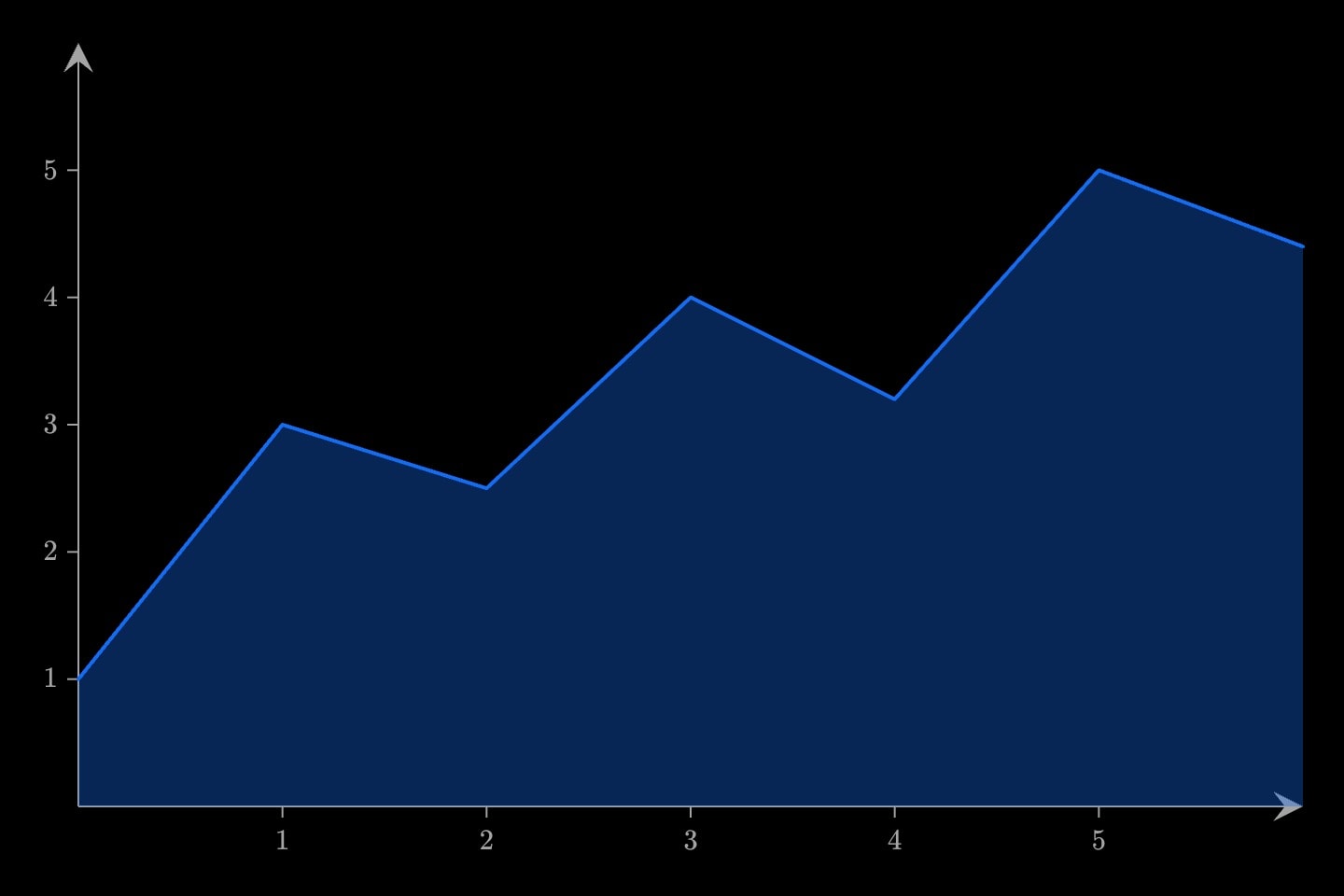
A series filled down to the baseline, or to a second series: the amount under the readings, with its top edge stroked.
areaxyplane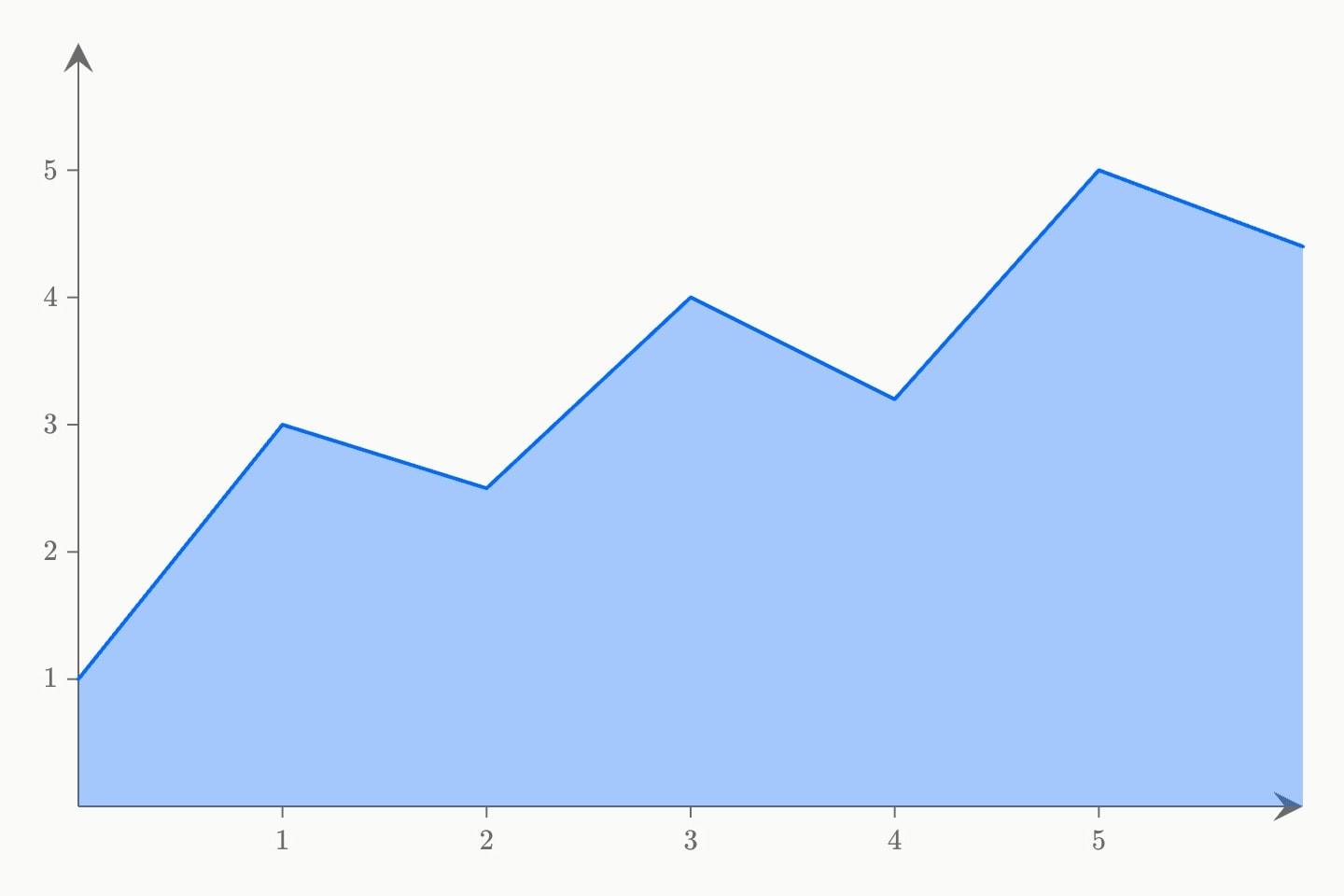
#Filling down to the baseline
area(x: #sales.month; y: #sales.revenue) fills a series down to the baseline: the readings are its top edge, joined in the order written as a line's are, and the wash beneath them is the amount. Like a bar, it stands on zero, so the y axis always reaches zero; on a log y axis, where zero has no place, it stands on the bottom of the window. x runs edge to edge, as a line's does.
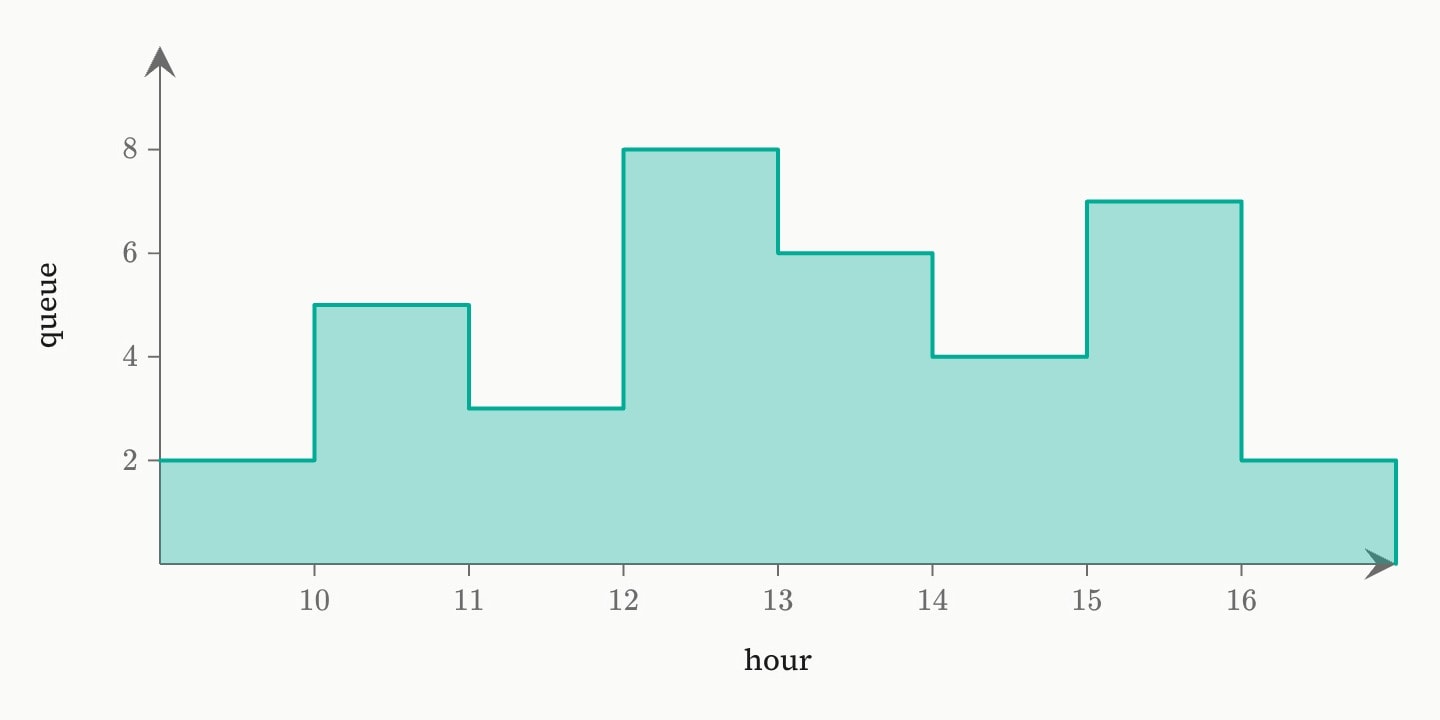
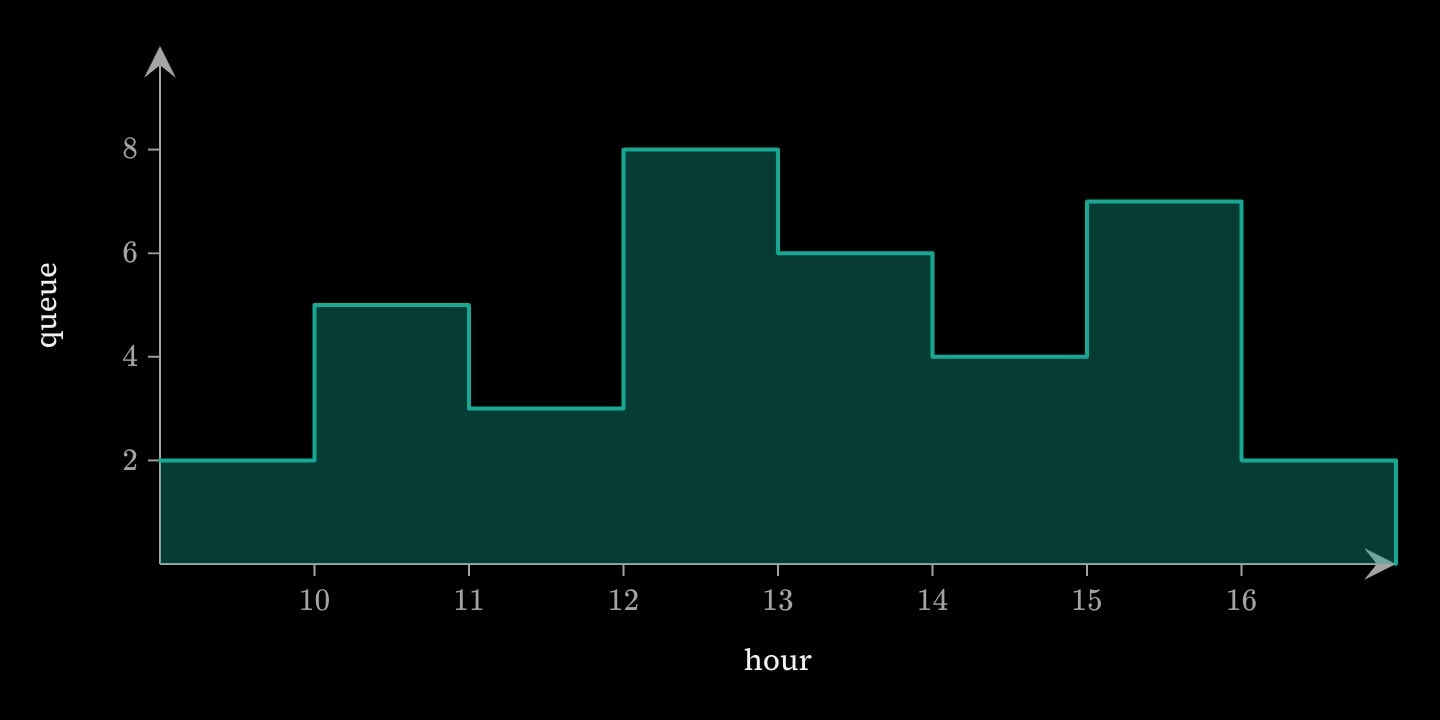
colour is one colour for the wash and the edge, and width is the edge's stroke; width: 0 draws the wash alone. interpolate: step holds each value until the next x, which is the shape of a count that changes only when something happens. y must be numbers (canvas/area-axes); x may be names.
#Between two series
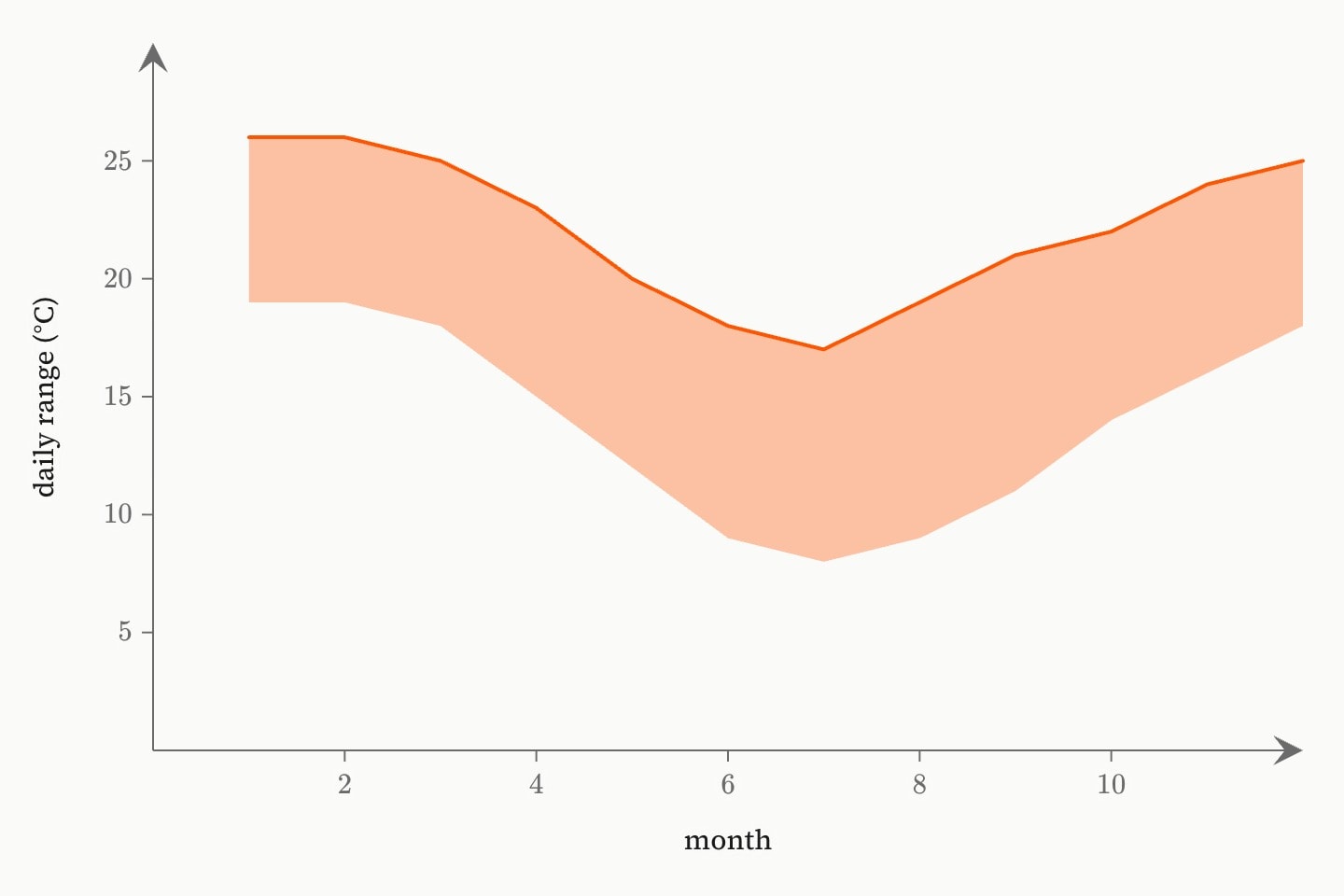
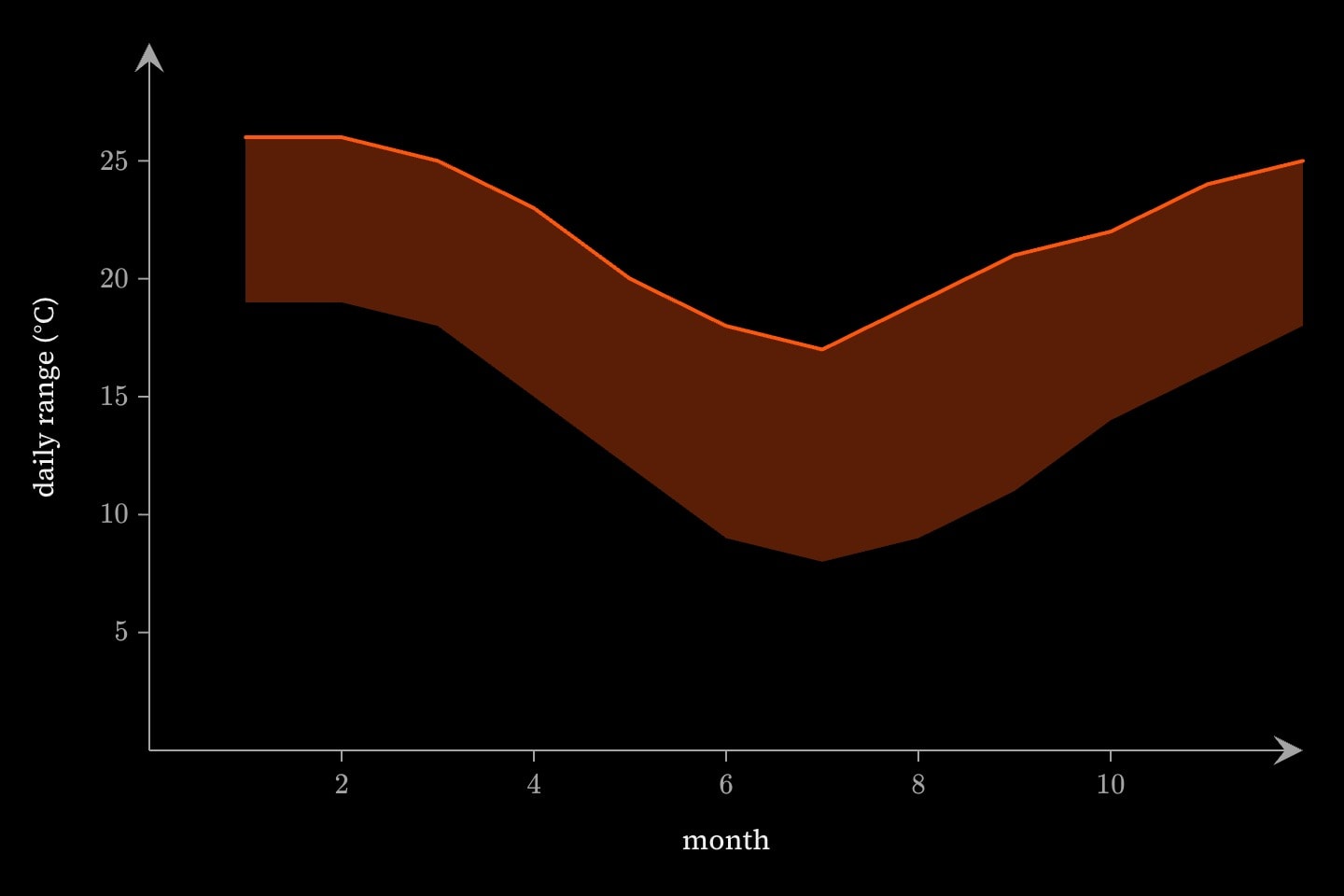
base is a second series, one entry per reading, and the area fills from it up to y instead of from the baseline: a range, a margin, or the gap between two quantities. A reading whose base entry is missing is left out.
graph{
    @data#climate{
        month | low | high
        1     | 19  | 26
        2     | 19  | 26
        3     | 18  | 25
        4     | 15  | 23
        5     | 12  | 20
        6     | 9   | 18
        7     | 8   | 17
        8     | 9   | 19
        9     | 11  | 21
        10    | 14  | 22
        11    | 16  | 24
        12    | 18  | 25
    }

    area(x: #climate.month; y: #climate.high; base: #climate.low; colour: orange)
}(
    x axis label: month
    y axis label: daily range (°C)
)#Stacked areas
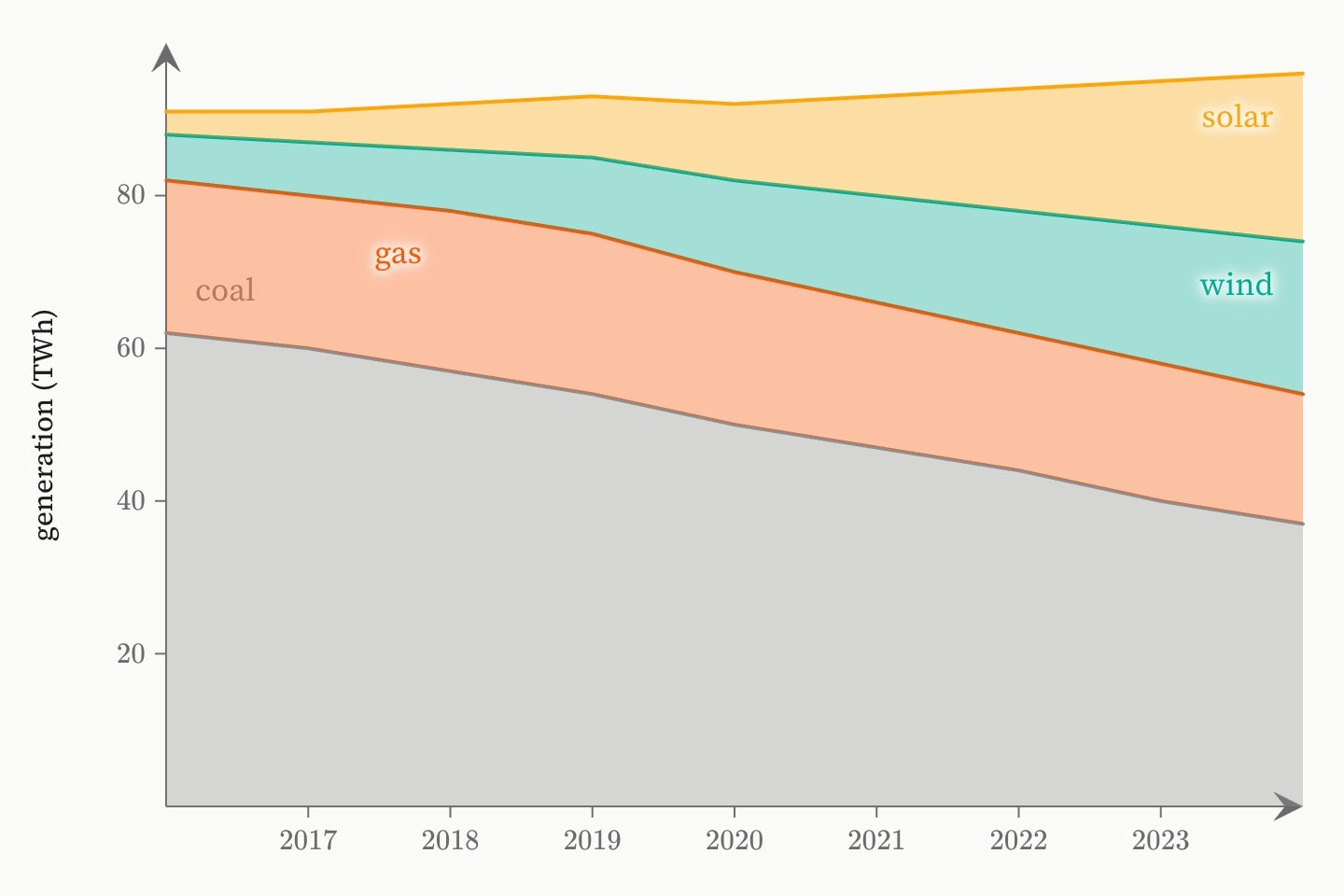
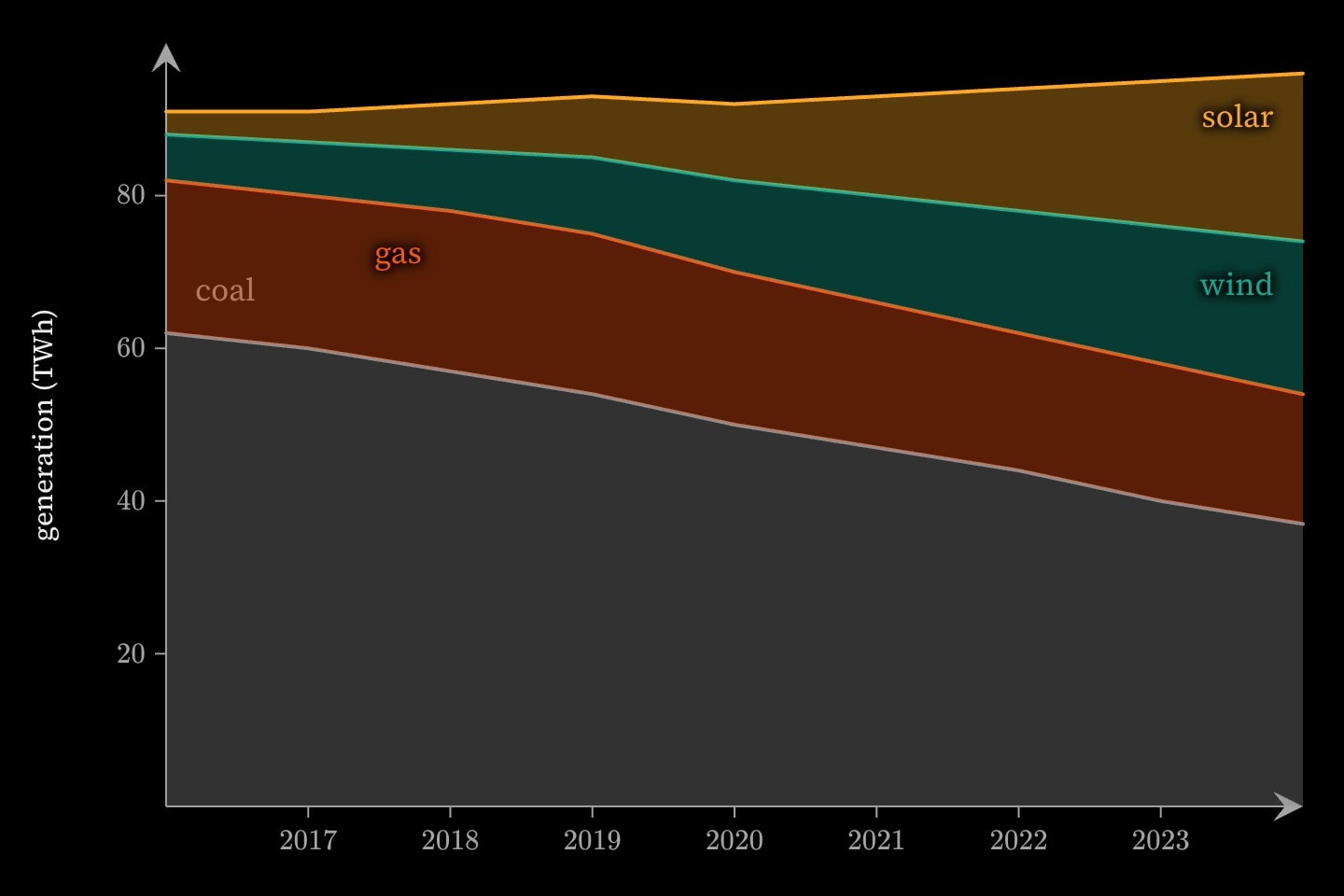
stack stands an area on the area written before it, adding its values to that one's top at each x, so a run of stacked areas draws one total cut into its parts and the top of the last is the total. Where the area underneath has no reading at an x, the stacked one is read off between its readings; beyond its first or last x, the stacked area stands on the baseline. A hidden area still holds its place in the stack, so the areas above it stay put when it is cued in. stack and base are refused together.
graph{
    @data#energy{
        year | coal | gas | wind | solar
        2016 | 62   | 20  | 6    | 3
        2017 | 60   | 20  | 7    | 4
        2018 | 57   | 21  | 8    | 6
        2019 | 54   | 21  | 10   | 8
        2020 | 50   | 20  | 12   | 10
        2021 | 47   | 19  | 14   | 13
        2022 | 44   | 18  | 16   | 16
        2023 | 40   | 18  | 18   | 19
        2024 | 37   | 17  | 20   | 22
    }

    area(x: #energy.year; y: #energy.coal; colour: grey; label: coal)
    area(x: #energy.year; y: #energy.gas; stack; colour: orange; label: gas)
    area(x: #energy.year; y: #energy.wind; stack; colour: teal; label: wind)
    area(x: #energy.year; y: #energy.solar; stack; colour: yellow; label: solar)
}(
    y axis label: generation (TWh)
)#Attributes
x#sales.month). Paired with y by position; a pair either axis cannot read is dropped whole. The window runs edge to edge along it, as a line's does.area:valueybasestack.stackarea written before it, adding this one's values to that one's top at each x, so a run of stacked areas draws one total cut into its parts. Hidden areas keep their place in the stack. Refused with base.stackedfalseinterpolatelinear joins them; step holds each value until the next x, the shape of a count that changes only when something happens.linearstepinterpolationlinearcolourpaintcolorbluewidth2labelhiddenfalselocklockedfalsetext-size20layergroupgroup: Renewables. It is drawn in the colour of the first that has one, over its own colour:, and the footer's key names every group.#Allowed in
#Examples
graph{
    area(
        x: 9, 10, 11, 12, 13, 14, 15, 16, 17
        y: 2, 5, 3, 8, 6, 4, 7, 2, 0
        interpolate: step
        colour: teal
    )
}(
    x axis label: hour
    y axis label: queue
)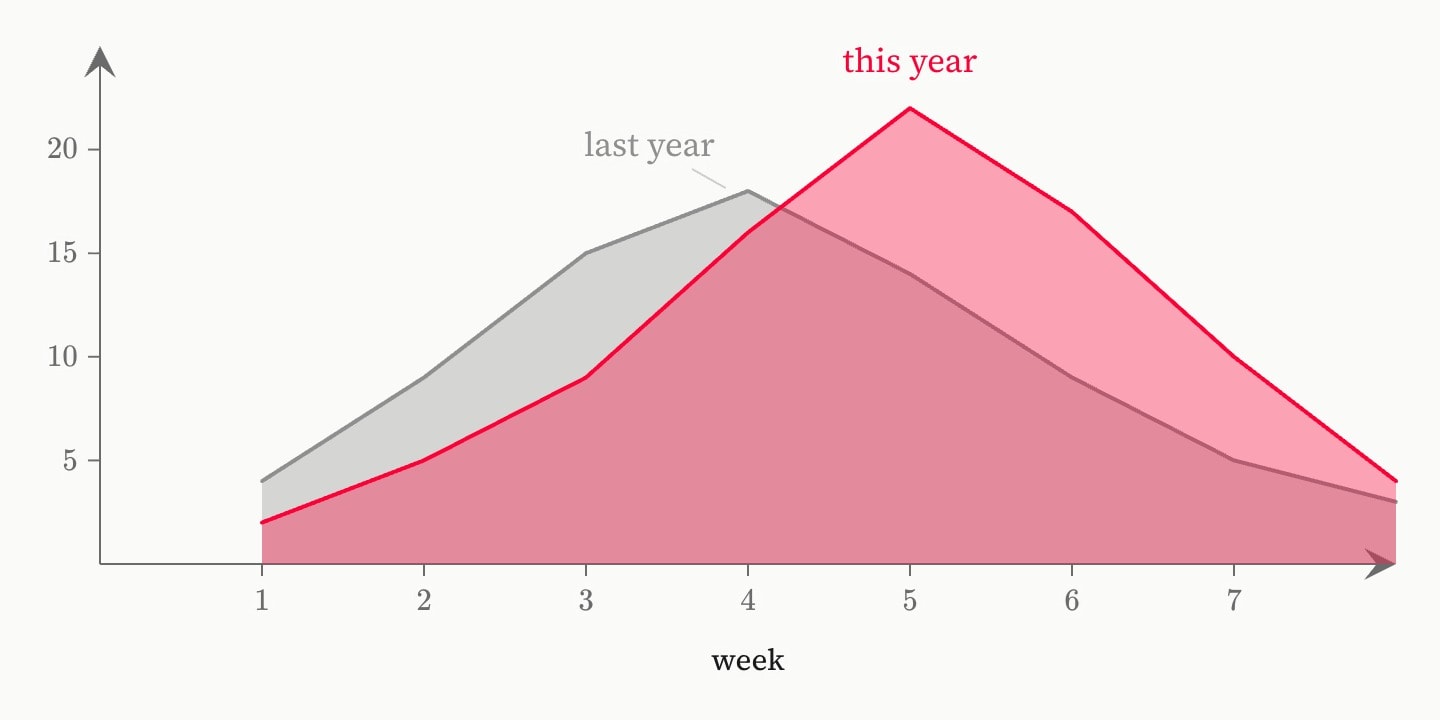
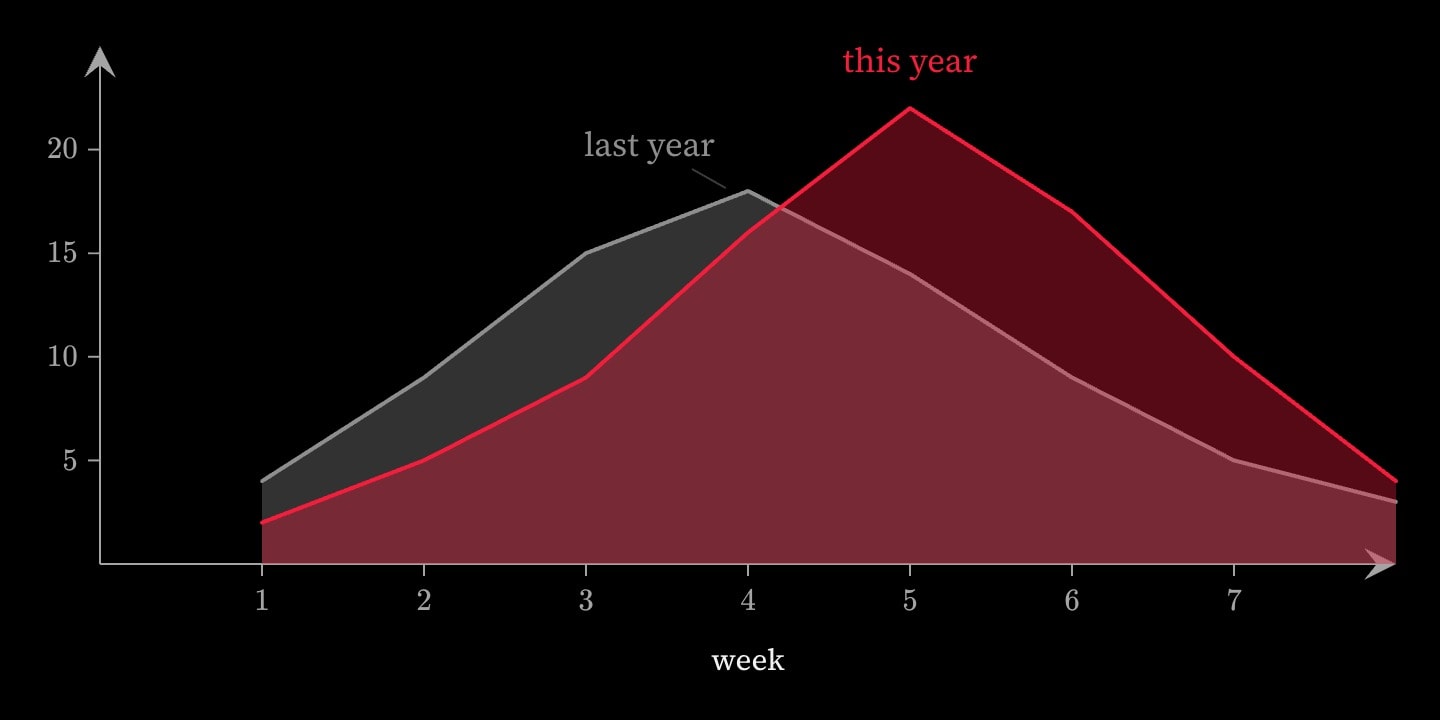
graph{
    area(x: 1, 2, 3, 4, 5, 6, 7, 8; y: 4, 9, 15, 18, 14, 9, 5, 3; colour: grey; label: last year)
    area(x: 1, 2, 3, 4, 5, 6, 7, 8; y: 2, 5, 9, 16, 22, 17, 10, 4; colour: red; label: this year)
}(
    x axis label: week
)