Modularity
Pieces written once and used again: templates with @define, attribute defaults with @preset, and packs of ready-made constructs and datasets with @use.
#Templates, presets and packs
Three ways to write something once and use it again, each for a different kind of repetition:
- The same structure again — a labelled point, a worked step: define a template with
@define. It is a new construct, used like any other. - The same attribute values again — one colour and size on every mark of a kind: set them once with
@preset. No new construct, only defaults. - Something someone has already built — a normal curve, a food web: import a pack with
. A pack's constructs are templates, used exactly as your own are.
#Defining a template
:name{…}(…) defines a construct called name. The body is the template — the Chalk each use expands to — and the attribute group declares the construct's attributes. Inside the template, {{name}} splices an attribute's value.
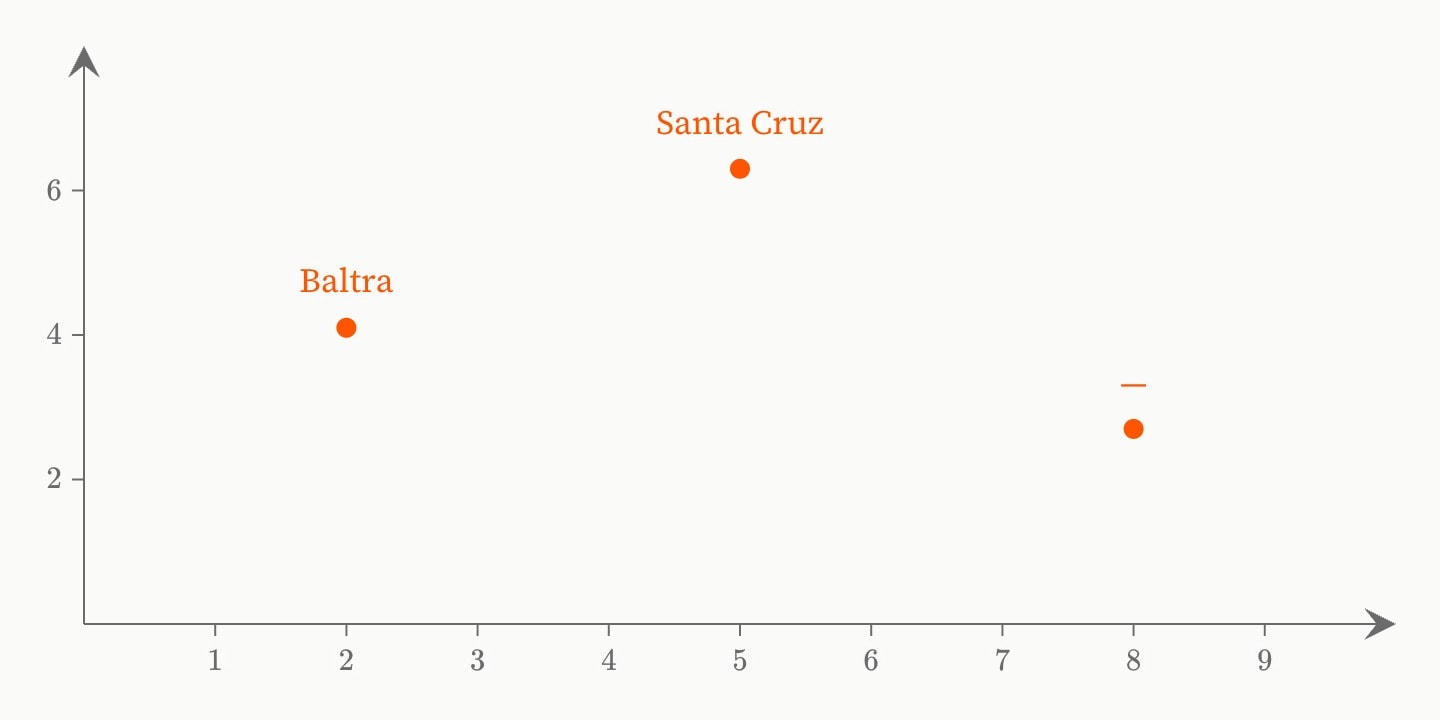
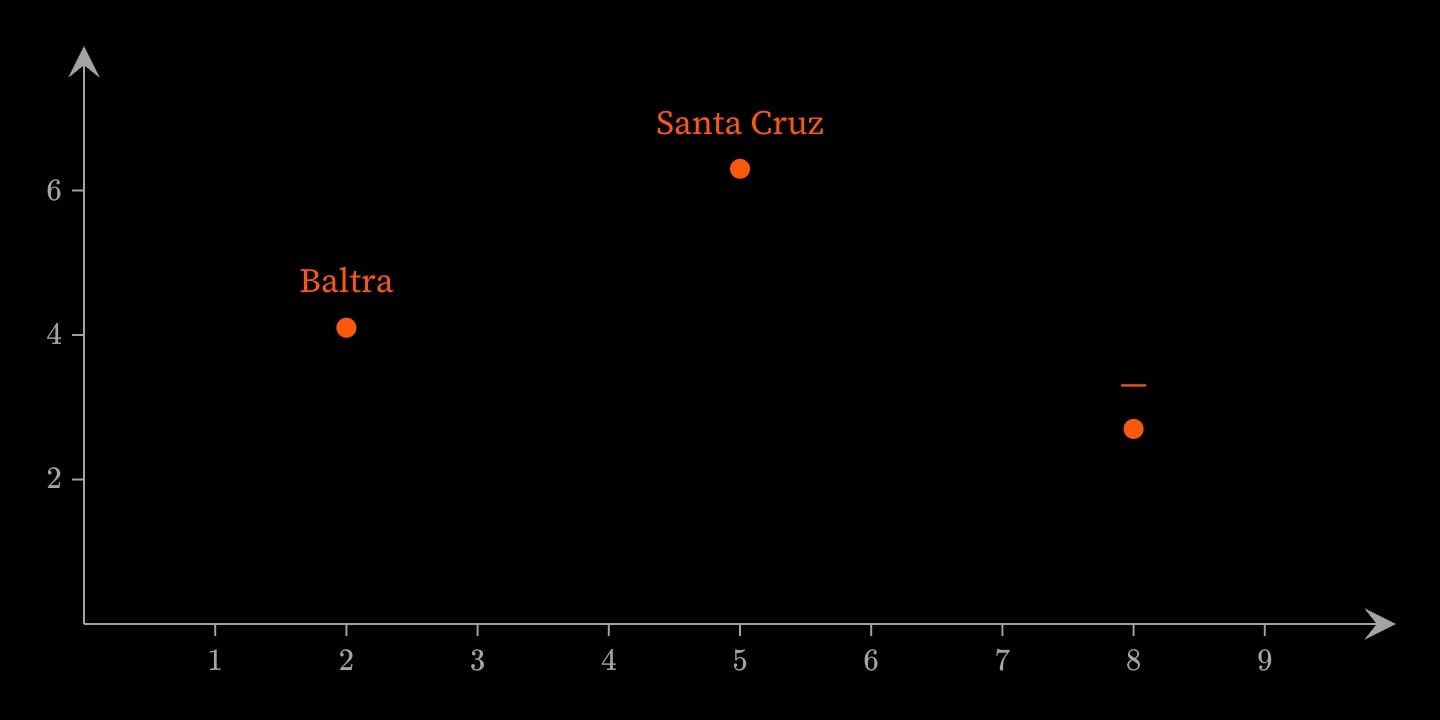
@define:reading{
    point(x: {{at}}; y: {{value}}; label: {{name}})
}(
    at:    !number(required; implicit)
    value: !number(required)
    name:  !string(default: —)
)

graph{
    reading:2(value: 4.1; name: Baltra)
    reading:5(value: 6.3; name: Santa Cruz)
    reading:8(value: 2.7)
}(
    x-domain: [0, 10]
    y-domain: [0, 8]
)
The name is a valid identifier that is not already a library construct's name or alias. The body is required. The group may be left off when the template has no attributes and the default sections.
#Declaring an attribute
Each entry is name: !type(…). The brackets are written even when empty — !string() — and the type's group holds two kinds of entry: the four facets below, which describe the attribute, and the type's own refinements, such as min:. preset cannot be an attribute name, and node is the directive's own implicit attribute.
#required, default, implicit and aliases
required— a use must supply it.requiredanddefault:are exclusive.default: value— the value when a use leaves it out. It is parsed by the type when the template is defined, so a bad default is reported at the@define.implicit— the attribute is written after:in the use's head, asatis inreading:2(…). One attribute at most.aliases: a, b— other names a use may write it under. An alias may not equal another attribute's name or alias.
required and implicit take true, false, yes or no, and a bare key is true. An attribute that is neither required nor defaulted binds nothing when a use leaves it out, and a template that splices it then fails with undefined constant.
#Attribute types
A base type takes refinements:
!string(min-length: n; max-length: n)— any text.!number(class: integer; min: n; max: n)— a number;classisdecimal(the default) orinteger.!bool()—true,false,yesorno, in any case. At the use, a bare key istrueand!keyisfalse.!enum(values: low, high)— one of the listed words, matched in any case.!list(item: number; length: n; min-length: n; max-length: n)— comma-separated items of the item type, named (number) or written inline (!number(min: 0)).!interval(item: number)— an ascending range writtenfrom..to.!path(kind: file; extensions: csv, tsv)— a file name or URL;kindisfileorurl, andextensionsapplies to files only.!custom(pattern: [A-Z]{2}[0-9])— text the regular expression matches in full.!inline(content: all)— rich text: formatting,$maths$and micronodes.content:isall,noneor a list of micronode names;exclude: latexrefuses the ones listed.!reference(targets: curve, fit; structure: tabular)— an#id, checked to exist and, withtargets, to name one of those constructs;intargetsadmits a dataset, whichstructurenarrows totabularorgeo. Spliced, it is the#idtext, ready for another construct's reference attribute.!record()— a structured value, schemaless;fieldsis not written here.!complex()and!equation(variables: x)— structured values, which cannot be spliced into text.
A named type — any type on the Value types page, such as !colour() or !parametised-number() — takes the four facets and no refinements. Two names on that page are bases here: a boolean is !bool() and rich text is !inline(). The canvas types (series, parametised-number, parametised-expression and the rest) pass the text through unchecked; it is checked where the template writes it, by the attribute that reads it.
#Unions
| joins types: size: !number(min: 0; default: 1) | !enum(values: auto). Every branch must be told apart by its written form, so !string() | !number() is refused, and a facet is written on one branch only.
#Body and detail sections
body and detail are reserved: declared in the group, they set what a use's {…} and […] may hold, and {{body}} and {{detail}} splice them into the template. A section takes a content policy, not a type:
!all()— any constructs. The default forbody.!none()— nothing. The default fordetail, so a template that splices{{detail}}declaresdetail: !all().!children(paragraph, note)— only those constructs;!children(exclude: list)all but those.!inline(content: all)— rich text, which splices inside a line.!literal()— the text exactly as written, unparsed, which splices into a code environment's lines.
A section of constructs (!all(), !children(…)) splices only on a line of its own. Inside a line it needs !inline(…) or !literal():
@define:finding{
    note{
        {{body}}
    }
    {{detail}}
}(
    detail: !all()
)

@define:claim{
    paragraph{
        **Claim.** {{body}}
    }
}(
    body: !inline(content: all)
)

finding{
    Richness rises with island area.
}[
    The fit is on a log–log scale.
]
claim{Area **predicts** richness.}#Using a defined construct
A template you define and a pack's construct are the same thing — a pack construct is a template — so everything below holds for both.
#Writing a use
A use is written like any construct: name#id:implicit{body}[detail](attributes), each part optional and the brackets required for it to be a construct at all. Values are parsed by each attribute's type where the use is written, so a bad one is reported on the use's line, naming the template — node `tile`: attribute `x`: `abc` is not a valid number. A use takes no preset:.
#Reading a use: its attributes and exports
A use with an id publishes its attributes, and any entry whose key starts with _ is an export: a value computed once per use from the attributes and the entries above it. Both are read as #id.member, the export without its underscore.
@define:plot-square{
    square#{{name}}(x: 0; y: 0; size: {{side}})
}(
    name: !string(required)
    side: !number(min: 0; default: 1; aliases: size)
    _area: {{side * side}}
)

graph{
    plot-square#plot(name: corner; size: 3)
}

The plot covers {{#plot.area}} m$^2$ and its side is {{#plot.side}} m.
A use cannot set an export. An export may read an earlier one, never a later one. One that reads a derived value inside the template, such as _slope: {{#f.slope}}, is bound — Derived attributes.
#Expansion
Each use is replaced by the template, with its values spliced in, as the document compiles. The constructs it expands to are then checked where they land: a template of paragraphs used inside a graph is refused at the paragraph. A template may use other templates, including ones defined after it; a template that reaches itself is circular define expansion: a -> b -> a.
#Ids inside a template
An id written in the template is private to each use: square#sq compiles as sq~ and a number that differs from use to use, and that name is not a public spelling. A reference inside the template reaches its own use's copy. From outside, the id is refused:
@define:tile{
    square#sq(x: 0; y: 0; size: 1)
}

The tile is {{#sq.size}} wide.[reference]`{{#sq.size}}`: `#sq` is declared inside `tile` and is private to each expansion (D36); a caller reaches it only through a template parameter (`#{{param}}`)
An id spelled through an attribute is the caller's and document-wide: square#{{name}}(…) with name: corner declares #corner. Constructs passed in through a section keep the caller's ids. Where a reference inside the template could mean both its own copy and a document-wide construct of the same name, it is ambiguous — … rename one of them.
#Constants inside a template
An attribute is a constant inside the template, and it hides a of the same name. A name the template does not declare is looked up where the use is written, so a template reads the constants in scope at each use.
#Datasets inside a template
A in a template is private to each use like any id. A table in the same template can bind it, but a canvas attribute cannot — 'scatter.x' refers to '#d', which is declared inside a @define template and is private to each expansion. Declare the dataset at document level, or name it through an attribute: #{{name}}{…}.
#@for, @if and @use inside a template
and work in a template and read its attributes. A count from an attribute is written in the named form, (n: {{rungs}}): an implicit value cannot hold an expression. (loud) tests a boolean attribute.
@define:ladder{
    @for(n: {{rungs}}){
        paragraph{
            Rung {{i}} of {{rungs}}.
        }
    }
    @if(loud){
        paragraph{
            **Climb with care.**
        }
    }
}(
    rungs: !number(class: integer; min: 0; default: 3)
    loud:  !bool(default: false)
)

ladder(rungs: 2; loud)
A template may call a pack's constructs once the pack is imported with , under the pack's prefix. A pack's own constructs are templates of this kind, called as statistics.normal(…).
#Where a defined construct is visible
A template is known after its @define, inside the construct that holds it: one defined in a scene is that scene's. A use before the definition is unknown node. Defining the same name again replaces the template for the uses after it.
#Packs
#Importing a pack
A pack is a named collection of templates and datasets that ships with Internote. imports one by name, and its constructs are then called with the pack's name in front:
@use:statistics

scene{
    The shaded area is {{round(#middle.probability, 3)}}.
}[
    graph{
        statistics.normal(mu: 0; sigma: 1)
        statistics.normal-area#middle(from: -1; to: 1)
    }(
        x domain: [-4, 4]
        y domain: [0, 0.45]
    )
]
Each use expands to ordinary constructs — a curve, an integral, labels — the same ones you could write by hand. A name that is not a pack is refused with the list: unknown pack `statistic` — available: biology, circuits, economics, geometry, physics, statistics.
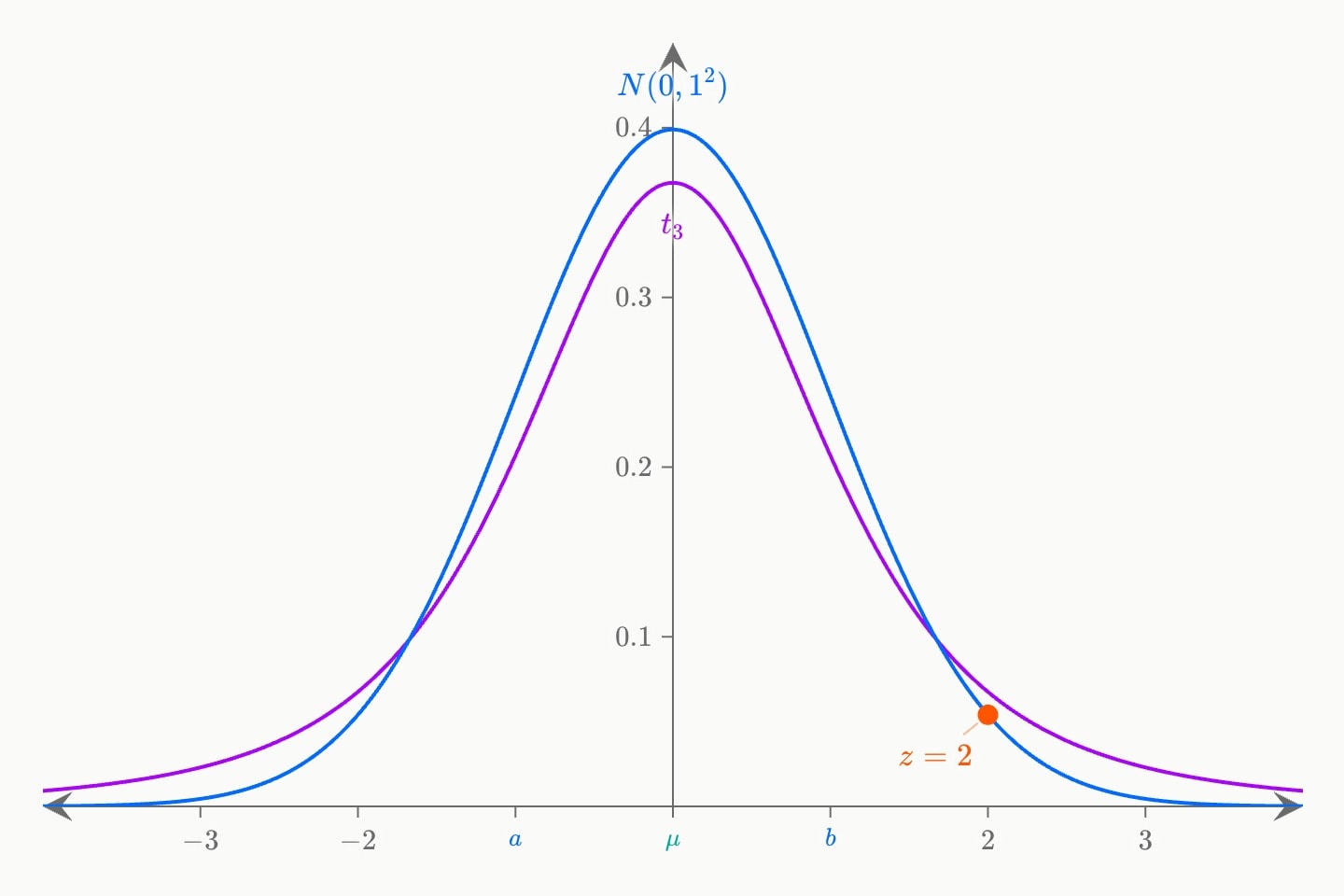
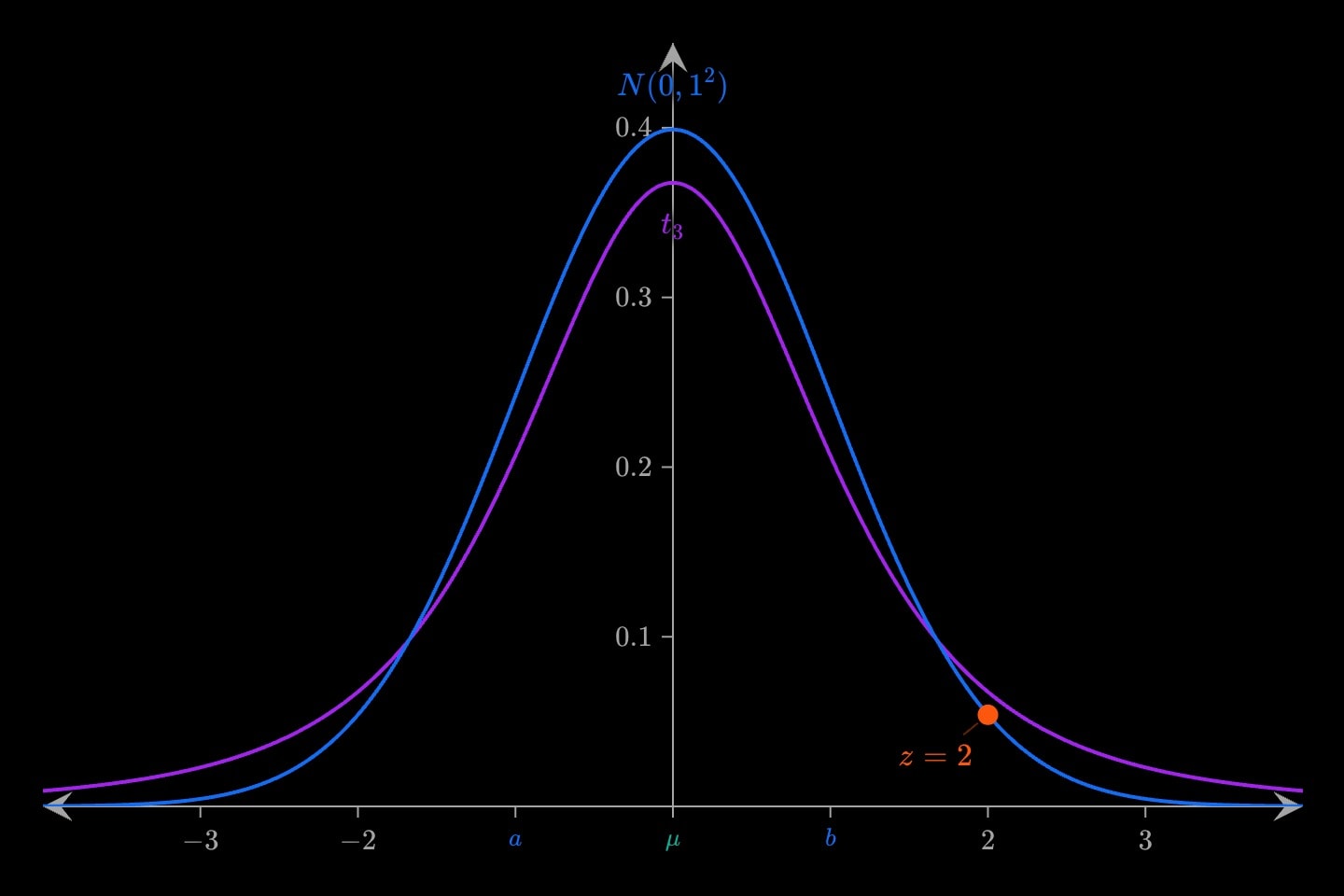
@use:statistics

graph{
    statistics.t(nu: 3)
    statistics.normal-area(from: -1; to: 1; show-value: true)
    statistics.mean-marker(mu: 0)
    statistics.z-point(x: 2; z: 2)
}(
    x domain: [-4, 4]
    y domain: [0, 0.45]
)
The pack's names are known after the , inside the construct that holds it. At the top of the document that is everything below it; inside a scene's detail it is that detail and no other scene.
(mu: 5), statistics.normal() still centres on its own default, 0.#Names a pack brings in
The prefix is always written; normal(mu: 0) after :statistics is unknown node `normal`. as: gives the pack a different prefix, which replaces its own name:
@use(pack: statistics; as: st)

graph{
    st.normal(mu: 0; sigma: 1)
}- Under
as: st,statistics.normalis unknown node `statistics.normal`. - A pack imported twice needs
as:on the second: prefix `statistics` is already in use by pack `statistics` — a second `@use` of the same pack needs `as:` to give it a different one. - A prefix may not be a library construct's name: prefix `graph` is already a library construct.
Everything else about a pack's constructs — typed attributes, values published under an id — is Using a defined construct: #middle.probability above is the area under the curve between −1 and 1. Each construct's attributes and published values are on its pack's page.
#A pack's datasets
A pack's datasets are reached through the prefix, and read in every way a document's own dataset is: whole, by column, or row by row. The biology pack carries lynx-hare, pelts traded each year from 1900 to 1920 in thousands, with the columns year, hare and lynx:
@use:biology

scene{
    @for:#biology.lynx-hare{
        @if(i.year: 1903){
            In {{i.year}} the trade took {{i.hare}} thousand hare pelts.
        }
    }
}[
    graph{
        line(x: #biology.lynx-hare.year; y: #biology.lynx-hare.hare)
        line(x: #biology.lynx-hare.year; y: #biology.lynx-hare.lynx)
    }
]
A name the pack does not export is refused with the list of what it does export: pack `biology` does not export `nosuch`. The pack's ids are its own, so a document may declare a #lynx-hare of its own beside it. Reading a dataset is covered in full on Datasets.
#The packs
biology— 15 constructs. Enzyme kinetics, binding curves, populations growing and cycling, allele frequencies, in agraph; a food web and a phylogeny, each a wholenetwork. Two datasets.circuits— 8 constructs. Adders, a decoder, latches and a counter, called inside alogicand wired to the parts around them.economics— 7 constructs. Supply and demand, their shifts, the surpluses, a tax wedge, a budget line and a production possibility frontier, in agraph.geometry— 12 constructs. Triangles, regular polygons, bisectors, arcs, sectors, tangents and the unit circle, in agraph. Angles in degrees.physics— 9 constructs. Forces, an incline, a pendulum, a projectile, a wave, a thin lens and refraction, in agraph. Angles in degrees.statistics— 32 constructs. Densities, distribution functions and discrete distributions, normal areas and tails, and markers for the mean and deviations, in agraph.
#Presets
#The three forms of a preset
A preset is a group of attribute values written once and applied to constructs. The group holds attributes of the constructs it is for; it takes no body. The head decides how it applies:
:curve(…)— by type. Applies to everycurveafter it, with nothing written on the curve.#faint(…)— by name. Applies to a construct that asks for it withpreset: #faint, of any type.#accent:curve(…)— by name, for one type. Applies only where asked for, and only to acurve.
@preset:graph(!show-grid)
@preset#faint(colour: grey; width: 1)
@preset#accent:curve(colour: orange; width: 4)

graph{
    curve(expression: x^2; preset: #accent)
    curve(expression: x^2 + 1; preset: #faint, #accent; width: 2)
    point(x: 1; y: 1; preset: #faint)
}
Any block construct can be a preset's type, environments and prose blocks included: :graph(…) sets every graph after it, :paragraph(colour: red) every paragraph. Attributes are written as they are on the construct, aliases and the bare-boolean shorthand included.
#Applying a named preset
preset: is an attribute every block construct takes. It names one preset or several, separated by commas. A preset by name without a type applies the attributes the construct has and passes over the rest: in the example, #faint gives the point its colour, and a point has no width.
#Which value wins
From strongest to weakest:
- an attribute written on the construct — the second curve above keeps
width: 2; - the presets named in
preset:, a later one over an earlier — the second curve is orange, from#accent; - the preset by type in force;
- the attribute's default.
#Where a preset applies
A preset by type applies to the constructs written after it, inside the construct that holds it: one written in a scene's detail sets that detail and nothing in the next scene. It also applies to the constructs a @define use expands to.
A preset by name has an #id in the document's one namespace, so it cannot share a name with any other id, and it must be declared before the first construct that names it. Once declared, any later construct in the document may name it.
#What a preset cannot do
- A preset applies to block constructs only, not micronodes.
- A preset cannot name another preset.
- A
@defineuse takes nopreset:; the constructs its template expands to take a preset by type. - A preset is not a construct: its id cannot be the target of a reference.
- A value is checked where the preset is applied, by the attribute that reads it. A preset by type is checked for attribute names when it is declared; a preset by name without a type cannot be, since any construct may take it.