Scenes & steps
A scene’s narrative and canvas, the steps it is divided into, and what belongs to the whole scene.
#Narrative and canvas
A scene is a body { } of narrative and a detail [ ] that declares its canvas. The detail may be left out, and the scene is then narrative alone. An internote is its scenes, read in the order they are written.
scene{
    # Free fall
    A stone dropped from rest falls $4.9t^2$ metres in $t$ seconds.
}[
    graph{
        curve(expression: 4.9x^2; domain: [0, 3])
    }(
        x-domain: [0, 3]
    )
]
The body takes paragraphs, headings, lists and equations, the four callouts (definition, example, note, task), internote references, dividers and step markers. The detail takes the canvas environments, or a grid of them, and beside them paragraphs, headings, lists, equations, table, image, question, the four controls, and the three cues that bring content in (cue, cue.draw, cue.write). Allowed content, below, lists both. Anything else is refused with that list — a note in the detail, for one: node `note` is not allowed here (allowed: paragraph, h1, h2, h3, h4, list, equation, table, image, question, cue, cue.draw, cue.write, slider, selector, cue.slider, cue.selector, graph, code, region, flowchart, logic, network, grid).
A paragraph, heading or list in the detail is canvas content. The colour micronodes, highlight, symbol and the inline !cue.highlight are allowed there and refused in the body:
scene{
    The !red{gradient} is the rise over the run.
}[semantic]'!red' is not allowed in the narrative; colour, highlighting and symbols belong in the canvas
How the detail lays out two environments or a grid of them is on Layout & content.
#Steps
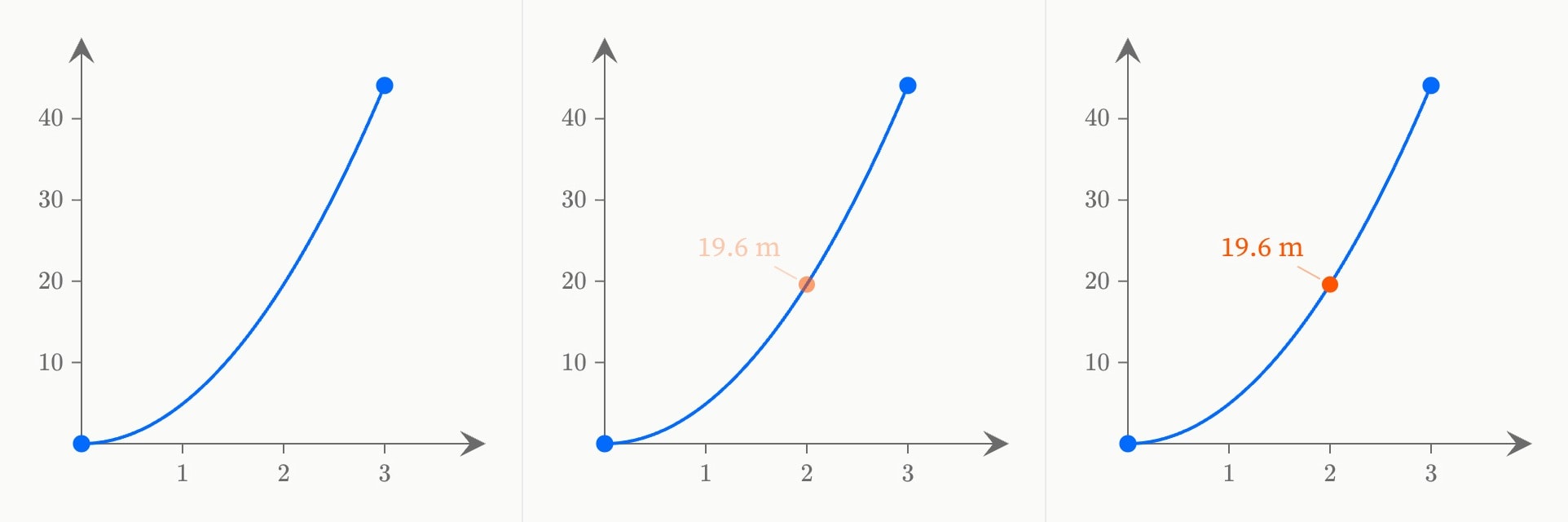
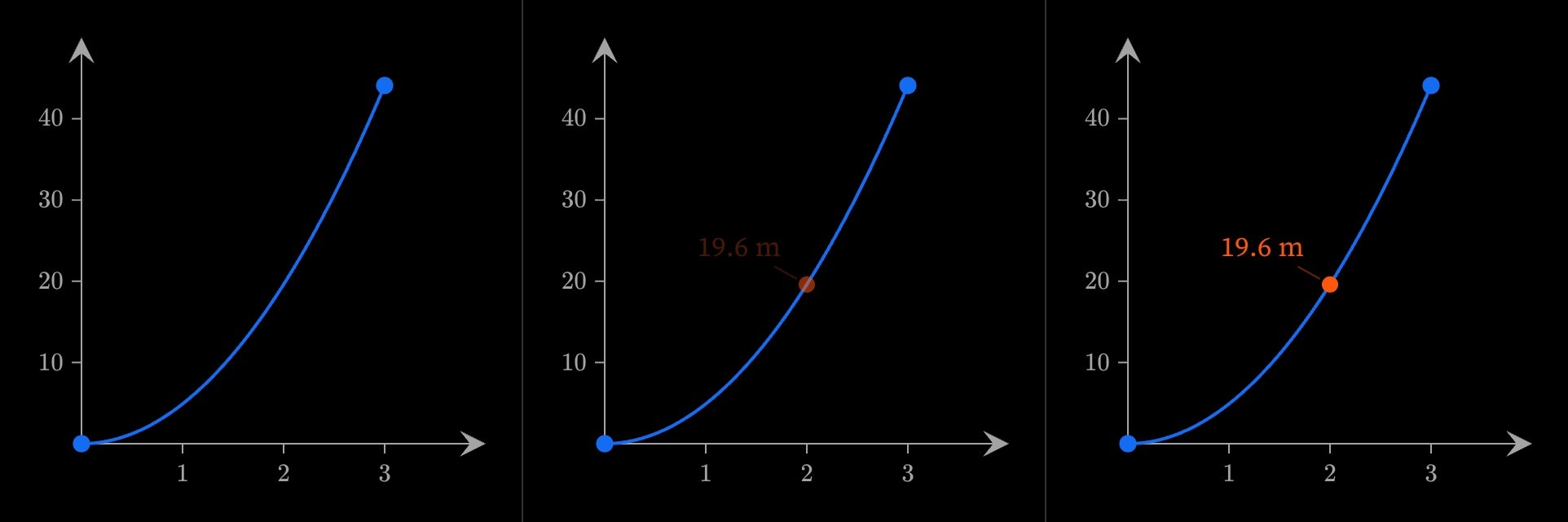
=== on a line of its own in the body is a step marker. A scene with n markers has steps 0 to n: step 0 runs from the top of the scene to the first marker, and step k begins when the reader passes the kth marker — scrolling in the reading view, advancing in presentation. Whatever moves on the canvas is anchored to these steps.
scene{
    A stone dropped from rest falls $4.9t^2$ metres in $t$ seconds.
    ===
    After two seconds it has fallen 19.6 m.
}[
    graph{
        curve(expression: 4.9x^2; domain: [0, 3])
        cue{
            point(x: 2; y: 19.6; label: 19.6 m)
        }(
            in: 1
        )
    }
]
graph{
    curve(expression: 4.9x^2; domain: [0, 3])
    cue{
        point(x: 2; y: 19.6; label: 19.6 m)
    }(
        in: 1
        in-duration: 1s
    )
}A marker changes nothing by itself: where nothing is anchored to its step, the canvas stays as it was when the reader passes it. Anchors, the cues that use them and the scene's duration, autoplay and loop are on Motion.
#Parameters and continue:
A slider or selector declares a parameter for the whole scene, wherever in the detail it is written — inside one environment or beside them. Every environment in the scene reads it.
scene{
    Height and distance fallen, read at the same instant.
}[
    slider:t(range: [0, 3]; default: 1; name: Time)

    graph{
        curve(expression: 4.9x^2; domain: [0, 3])
        point(x: t; y: 4.9t^2)
    }
    graph{
        point(x: 0; y: -4.9t^2)
    }(
        x-domain: [-1, 1]
        y-domain: [-45, 0]
    )
]
continue: #id on an environment carries on an environment of the same kind from an earlier scene: the reader's session state passes to it — on a graph, the view they panned and zoomed to and the elements they added or changed. The content is the new environment's own, and the parameters stay with their scene. Controls covers the parameters.
scene{
    First.
}[
    graph#fall{
        curve(expression: 4.9x^2)
    }
]

scene{
    Second.
}[
    graph{
        curve(expression: 4.9x^2)
        point(x: 2; y: 19.6)
    }(
        continue: #fall
    )
]
A continue: that names no environment, its own, a later one or one of another kind is an error — for a later one, 'continue: #later' must reference an earlier canvas node.
#Writing guidance
- What a document covers — One topic, named by the title, with the constructs and the length that topic needs.
- Scenes and what each shows — A canvas makes one point at a time, a second idea is a second scene, and a detail is optional.
- Prose & canvas state — Prose describes the state the canvas is in and names what it shows, never the controls or where things sit.
- Steps, timers, sweeps & parameters — New content on the step that introduces it, timers for timed motion, sweeps for a change the prose describes, and parameters where one sentence holds across the range.
- The final pass — What the compiler checks, with its diagnostics, and the judgements nothing checks, each linked to its reason.